Revisit a school topic
Ask about a school topic the app can help with. Use the reply as a starting point, then check it.
For Indian school teachers · Android early version
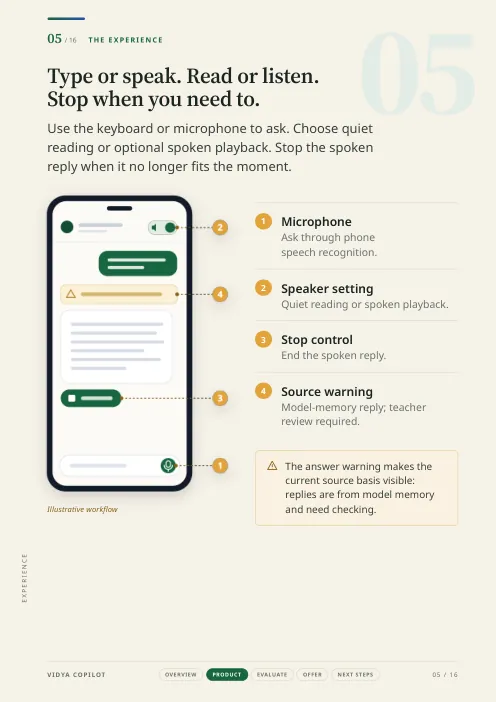
Type your question about a school topic, or say it into the microphone. VIDYA Copilot gives a reply you can read or hear aloud. You check it and decide whether to use it in your lesson.
The current teacher app is called VIDYA Shikshak.
 VIDYA Shikshak Simulation
 Interface simulation built for this website, not a screenshot. Sample replies were written by hand for the starter questions; they are not output from the app.

A familiar situation
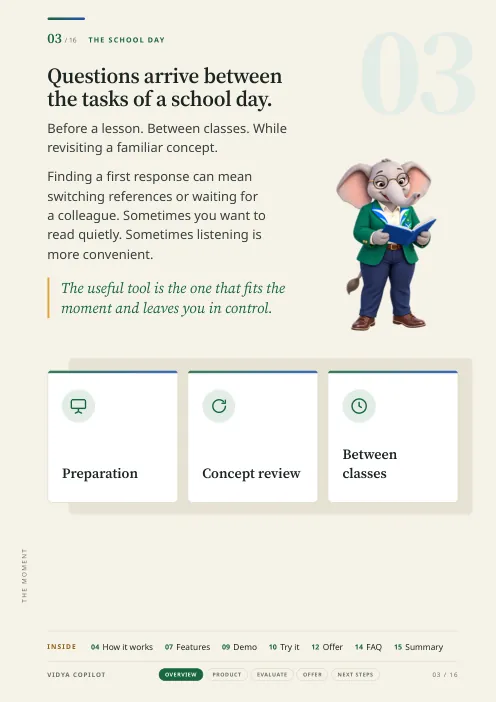
You may be revisiting a topic before class, checking an explanation between lessons or working in a quiet staffroom.
VIDYA Copilot gives you a simple place to ask one question at a time. Use your keyboard or microphone, then review the reply in the way that suits the moment.
What it does now
Ask about a school topic the app can help with. Use the reply as a starting point, then check it.
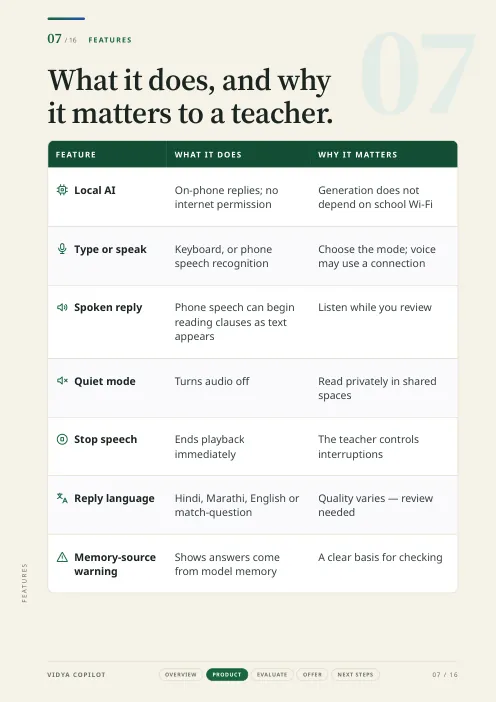
Turn spoken replies on when listening is more practical than reading.
Switch spoken replies off in a staffroom or classroom where audio would disturb others.
Select Hindi, Marathi or English, or ask the app to match your question.
Real app screen reserved. Pictures of the app may still show the name VIDYA Shikshak.
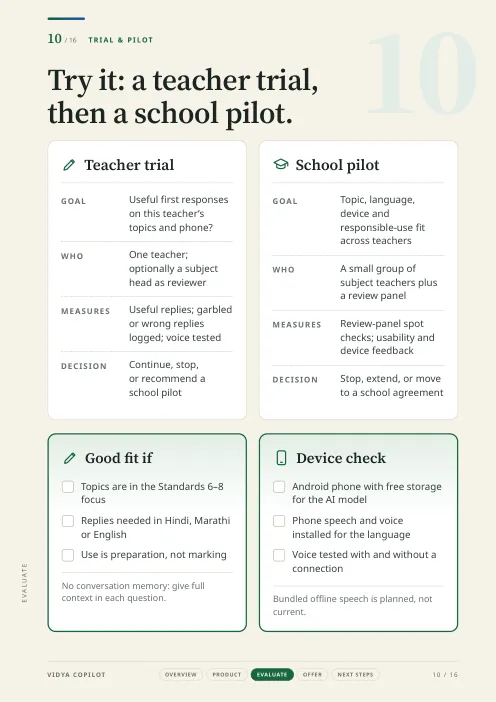
Note: Current work focuses especially on Classes 6–8 topics. Topic and language quality vary.
Is it for me?
Pick the one closest to you.
“Will it help with the small questions in my day?”
Yes, for one question at a time. Type it or say it, read or hear the reply, then check it against your book before class. It is built for the gaps between lessons, not for running a class.

“Can I use the language I prefer?”
You can set replies to Marathi, Hindi or English, or ask the app to match your question. Be aware that the reported tests found Marathi replies needed the most improvement, so try your own topics first.

“Can we trust replies before using them?”
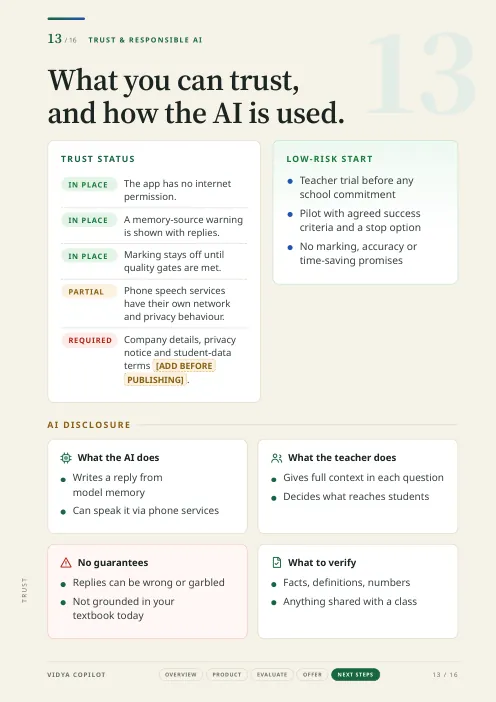
Treat every reply as a first draft. Each one carries the note “Answered from memory, not from your book — worth checking.” The marking tool stays switched off until it is reliable enough. A small trial with clear goals is the honest way to judge it.

“Can we try it carefully?”
Start with a few teachers, a few topics, the actual phones they use, and replies checked by teachers. Decide from what you find. No school programme, pricing or time saving is claimed.

Reasons to choose it
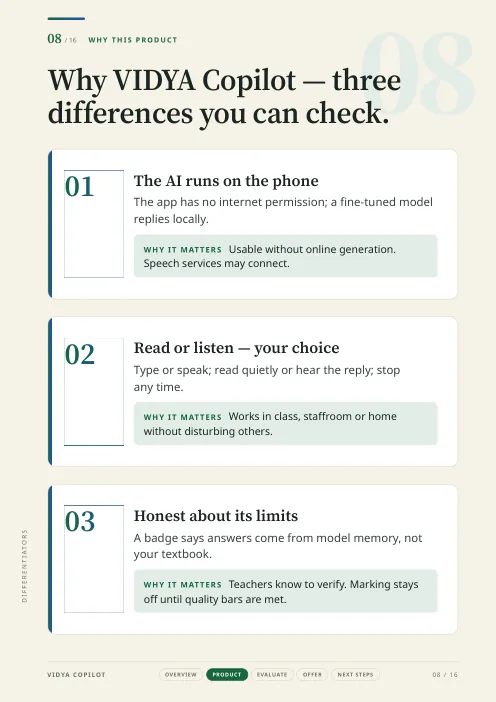
The app writes replies on the Android phone itself. Android does not allow the app to connect to the internet.
A note under the reply says it comes from the AI's memory, not your book. This reminds you to check it before use.
Choose spoken replies or quiet reading. Stop speech when you need to interrupt.
The tool that suggests marks is turned off in the regular app. It is not reliable enough yet.
The app can help. You still check and decide.
Simple process
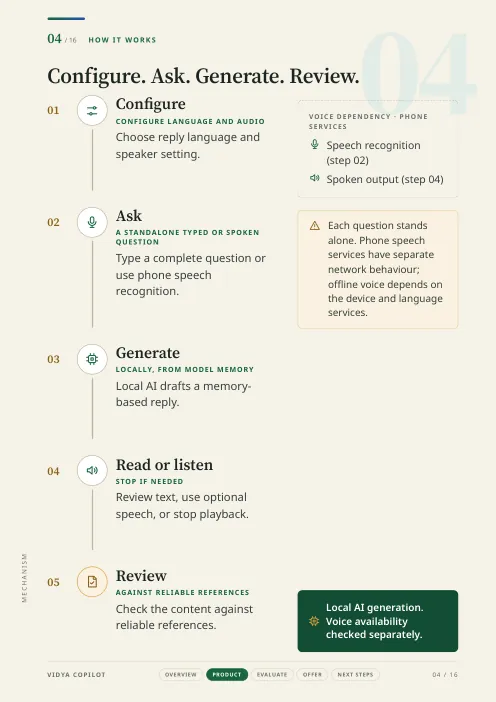
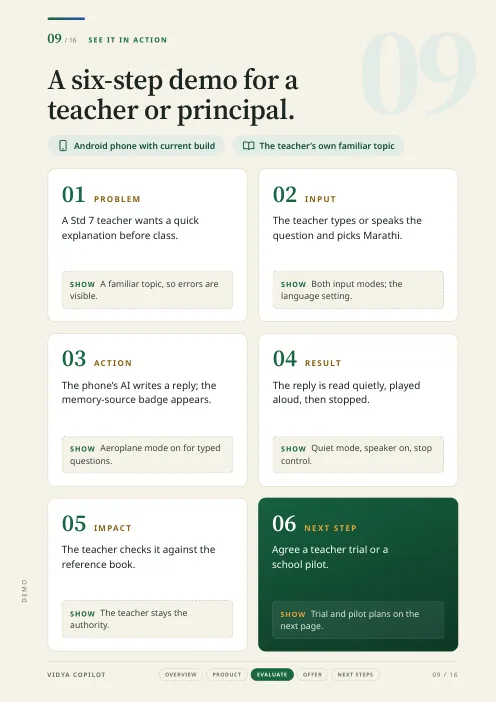
Type or tap the microphone. Voice availability depends on the phone.
Choose the reply-language setting and whether speech is on.
Compare important facts with your textbook, notes or another reliable teaching book.
Trust
VIDYA Copilot can give wrong or unclear replies. Marathi needs more work. It is also less reliable on topics the AI has not learned well.
The regular teacher app does not look in your textbook before replying. It cannot currently suggest marks or read handwritten answer papers for everyday use.
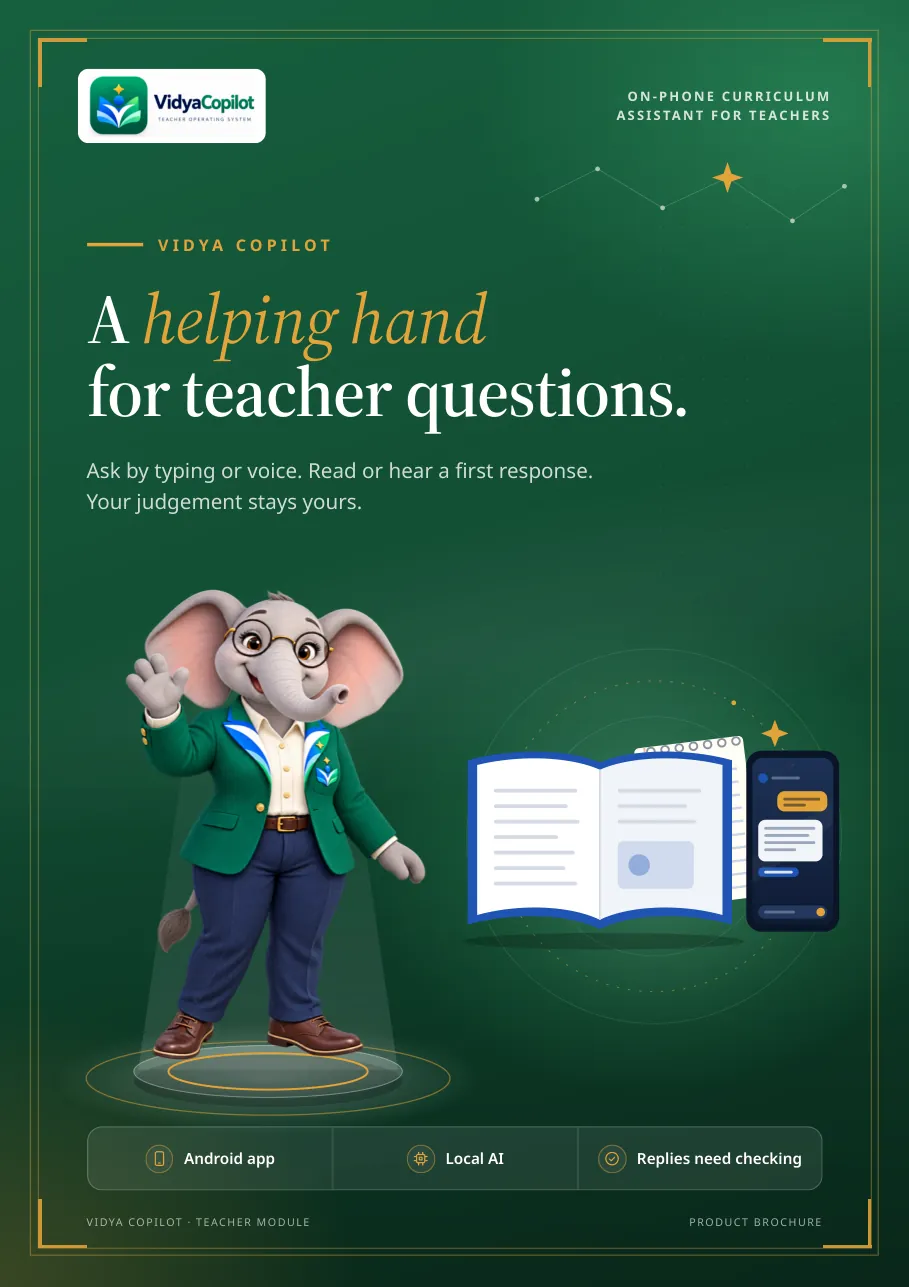
Teacher brochure
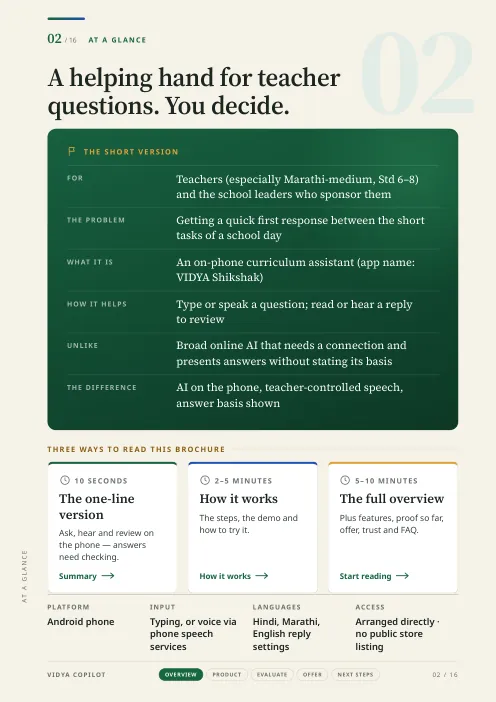
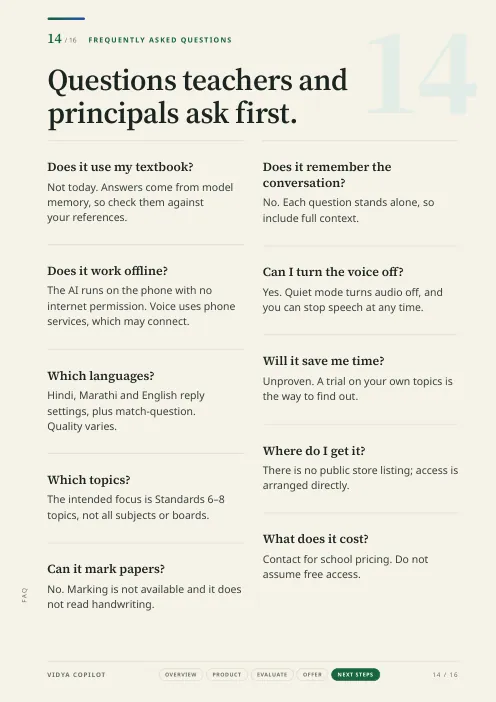
At a glance, the school day, how it works, the experience, who it is for, features, why this product, a six-step demo, how to trial and pilot it, ways to start, trust, and the questions teachers ask first.
The contact lines inside the brochure are placeholders until verified details are added; the website contact page is the current enquiry route.
Insights
The gaps in a school day are short. A useful assistant has to fit them, answer one question at a time, and leave the decision with the teacher.
6 min read ComparisonA category comparison for teachers deciding what to use: where an on-phone, teacher-focused assistant differs from broad online chat tools and voice-first assistants, and where it does not.
6 min read LanguagesThe app lets you choose a reply language or match the question. Here is how the setting works, what the reported tests found about Marathi, and how to test it on your own topics.
5 min readNext step
Tell us the classes and subjects you teach, the language you prefer and your Android phone model. We can discuss whether the current version is worth trying for your needs.
Opens your email app. Review the message before sending. Sending a message does not mean you will get the app immediately or by a fixed date.